Map and Locations in Homerun Forge
Learn the compact hub triangle — train, smash wall bands, forge — and stop getting lost between machines and loot.
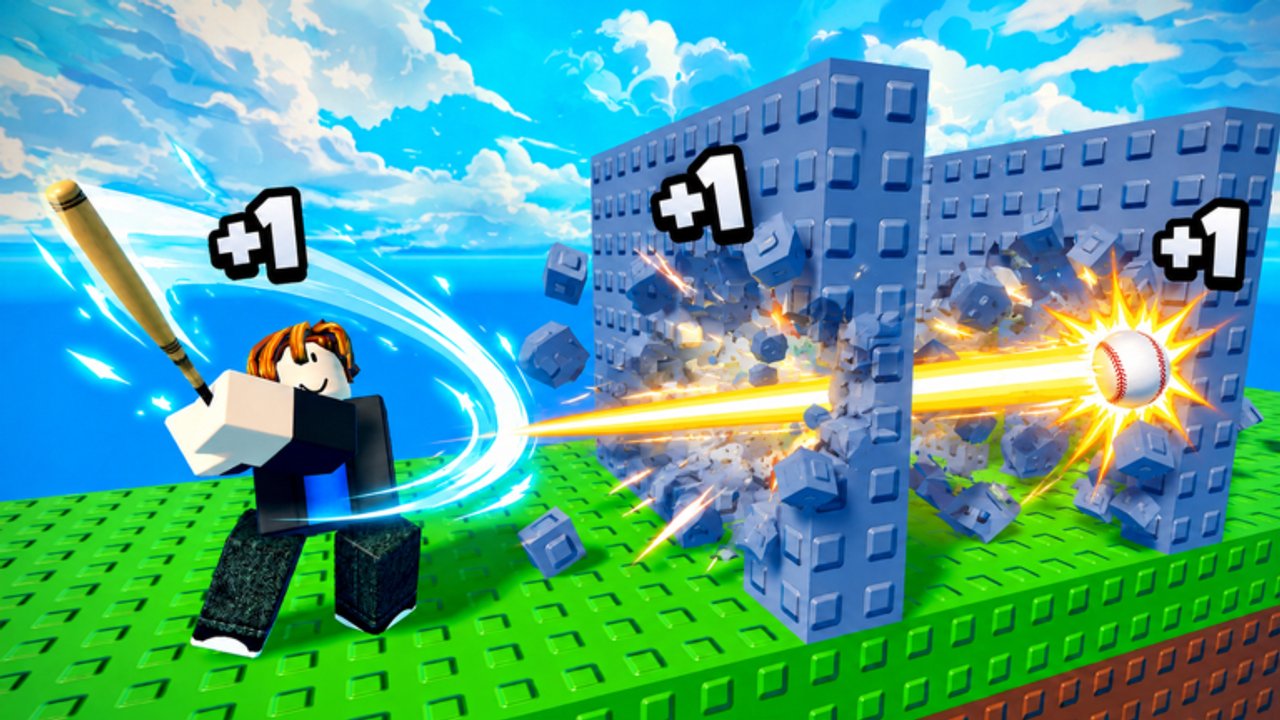
+1 Homerun Forge is not a sprawling open world. PrimeLoop Studio’s Roblox experience (place ID 124325048529407) runs on a compact hub loop: pitching machines for strength, a line of stage walls for loot, and a forge station for crafting bats. This map and locations guide teaches you to read that triangle, route sessions efficiently, find HUD icons on any device, and treat later walls as “new locations” without inventing caves or islands from the wrong game.
Pair it with Getting Started, Gamepasses for the first-hour checklist, Controls for swing and menu binds, and the Guides Hub for the full tutorial index. Redeem anything live on the Codes Hub before you plant yourself at a machine.
Wrong game warning
This page is only for +1 Homerun Forge. Do not import map lore from:
- The Forge — mining RPG with caves, ores, pickaxes, and separate zones
- +1 Bow Forge / +1 Gun Forge — sister incrementals with different hubs
- Homerun for Cash — cash / tycoon baseball, not this smash-forge loop
If a guide names islands, mineshafts, or ore veins, you are reading the wrong title. Homerun Forge’s “map” is the hub triangle plus advancing stage wall bands.
The hub triangle (your real map)
Think of spawn as the center of a short triangle you will walk dozens of times per session:
| Corner | What you do there | Deep guide |
|---|---|---|
| Training lane / pitching machines | Swing to raise strength | Training and Strength, AFK Tips |
| Stage wall line | Smash barriers, collect loot sparks | Stage Progression, Loot and Materials |
| Forge station | Spend materials on bat rolls, equip upgrades | How to Forge Bats |
Memorize three landmarks on first join: the machine cluster (pitching hardware and training pads), the wall line (breakable stages marching outward in bands), and the forge glow / station prop (where crafting UI opens). Once those three stick, you stop spinning the camera looking for “where the map went.”
Bat skins and inventory live in HUD menus, not in a separate fashion district — cosmetics ride on the same hub. Session checklists without long prose sit on the Tools Hub.
Efficient session routing
Order of visits matters more than walking speed:
- HUD sweep — locate Codes, Inventory, Forge, and Shop icons (see below), then redeem codes.
- Machines first — short strength burst so the next wall is a Push, not a chore (Training).
- Wall band — smash the farthest wall you can clear quickly; pick up every spark (Loot).
- Forge station — intentional rolls with a rarity goal (How to Forge).
- Equip and re-enter — if power rose, Push one band; if the wall still sponges, retrain instead of ego-swinging (Stage Progression).
Starter route: train 5 minutes → nearest wall → forge once → train again. Mid-game route: train until the next wall falls in a short cycle → farm a full bag → forge with a goal → push if ready. Boost window: machines → walls → forge before a timed buff expires. Never open the forge with an empty bag just because you are standing next to it.
AFK-style machine parking is fine in short bursts, but always convert strength into walls and rolls afterward — aimless hour-long AFK with no spend plan wastes the triangle. Shop and optional gamepass purchases belong in the same discipline: only buy power-relevant upgrades for your current wall band (Getting Started covers early shop mistakes).
HUD icons (device-agnostic)
Exact art shifts after patches, but productive players always find these on the screen edges — not on a world map marker:
| Icon family | Typical labels | Why it matters |
|---|---|---|
| Codes | Gift, Twitter, Codes, Redeem | Free materials and boosts |
| Inventory | Bag, Bats, Inventory | Equip upgrades, clear junk |
| Forge | Anvil / Forge button | Open craft UI at the station |
| Shop | Shop, Gamepass, Robux | Optional power buys only |
| Settings | Gear, chevron, side tab | Often nests Codes on mobile |
On phone and tablet, expand every chevron or hamburger once after load so Codes and Forge are not “missing.” On PC, click labeled HUD buttons rather than hunting unstable keybinds. On console, learn which face button opens the experience HUD versus Roblox’s system menu. Full input detail lives in Controls.
Stage progression as locations
There is no separate overworld of named biomes. Later stages are the new locations: each wall band you unlock is a denser loot table farther along the same smash line. Early bands teach the loop; mid bands feed better forge fuel; late bands are gear checks that demand trained strength plus a real bat.
Treat each band like a room on a linear hallway:
- Stay and Farm when clears are easy and bags need quality.
- Push when the wall dies in a short, satisfying cycle.
- Leave for machines or forge when the wall barely chips.
That hallway metaphor replaces fantasy maps of caves and islands. Your progress is “how far along the wall line can I farm cleanly,” not “which continent did I unlock.”
Multiplayer crowding (8-player max)
Servers hold up to eight players. Strength, bats, and loot stay personal — friends do not carry your wall HP — but bodies still block machines and the forge prop. If pitching pads are stacked or you cannot interact with the forge cleanly, hop servers. Crowding also adds lag that fakes weak swings; a quieter server is a map upgrade you can take for free.
Landmarks for new players
On your first session, screenshot or mentally tag:
- Spawn facing — which way points at machines versus walls.
- Machine cluster silhouette — so you can sprint back without opening a map (there isn’t one).
- Current wall band — the farthest barrier you can break quickly.
- Forge station — glow, anvil, or labeled craft prop near the hub loop.
- HUD edges — Codes / Inventory / Forge after one full tap/click pass.
With those five locked in, the triangle becomes muscle memory.
What this map is not
As of current wiki documentation, Homerun Forge is a hub + stage wall loop. We do not document a separate “rebirth island,” mining caves, or pickaxe zones. If PrimeLoop later ships new areas, check Updates and revise your mental map — until then, do not invent them.
Related reading
- Getting Started — first-hour triangle walkthrough
- Controls — movement, swing, HUD locations
- Training and Strength — pitching machine corner
- Stage Progression — Push / Farm / Reforge on the wall line
- How to Forge Bats — forge station corner
- Loot and Materials — what walls drop
- Codes — redeem before routing
- Tools — short session checklists
- Guides Hub — full tutorial index
Learn the three corners, walk them in the right order, hop when crowded, and treat each new wall band as the next “location.” That is the entire practical map of +1 Homerun Forge.
Frequently Asked Questions
Quick answers to the most common questions.
Is there a big open-world map in Homerun Forge?
No. +1 Homerun Forge uses a compact hub triangle: pitching machines, stage wall bands, and the forge station. Progression is advancing along walls, not exploring named islands or caves.
What order should I visit locations each session?
Redeem codes via the HUD, train on pitching machines, smash and loot your best clearable wall band, then return to the forge. Equip upgrades and either Push the next band or retrain if the wall still sponges.
Where are Codes, Inventory, and Shop on the map?
They are HUD icons on the screen edges, not world map pins. On mobile, expand chevrons or Settings if Codes is nested. See the Controls guide for device tips.
What should I do if the forge or pitching machines are blocked?
Servers cap at eight players. Hop to a less crowded server if machines or the forge station are blocked or lag makes swings feel delayed. Progress stays on your account.
Is there a rebirth island or mining cave zone?
This wiki documents a hub-plus-stages loop only. Do not expect The Forge RPG caves, ores, or pickaxes here. If PrimeLoop adds new areas later, check the Updates hub.